
When a simple converter can change the run
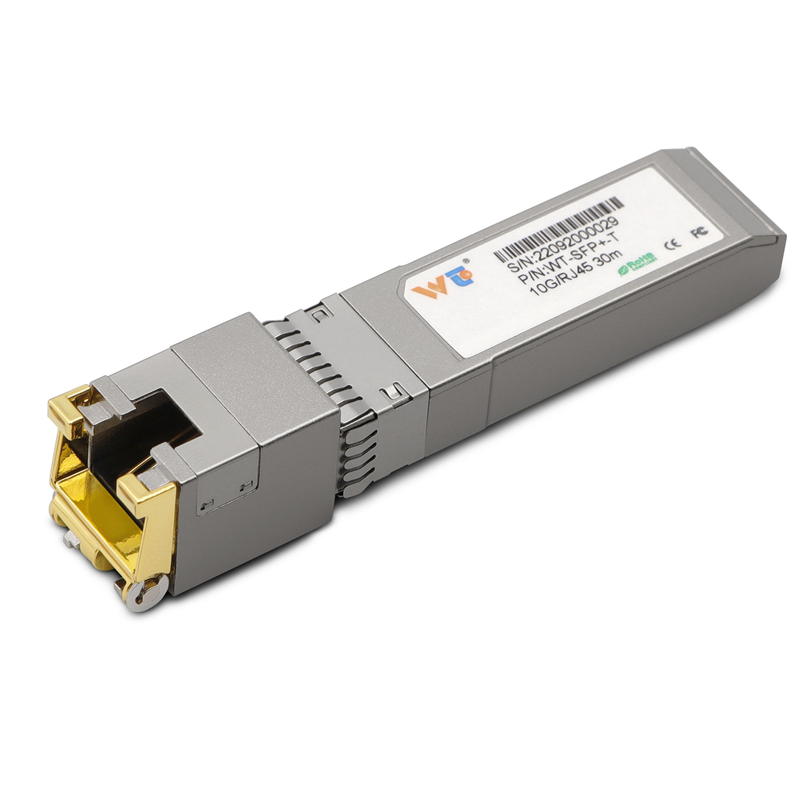
On shop floors where belts hum and robotic arms repeat the same motion, network distance decisions are never abstract — they cost time. I’ve seen managers weigh fiber trunks against copper runs and, more often than not, reach for a compact sfp to rj45 transceiver to save money and maintain speed. This isn’t about theory: it’s about linking a PLC, a camera, or an HMI across 50–100 meters without rearranging the whole plant.
Why distance and media type matter on the floor
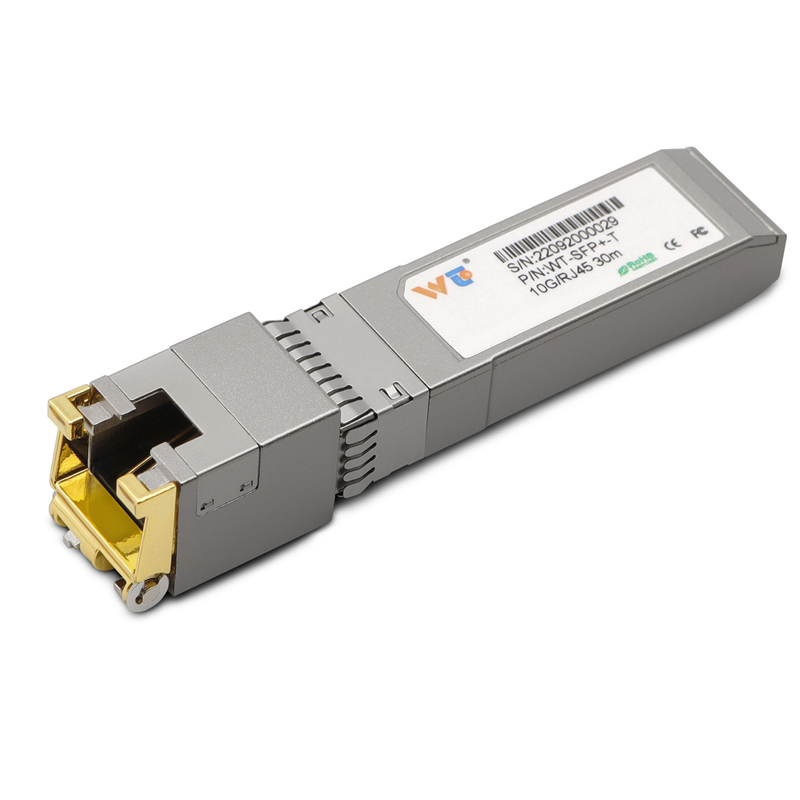
Ethernet over copper remains the default for short links; fiber shows up when you need isolation or long haul. The real trade-offs are latency, electromagnetic interference (EMI) tolerance, and installation cost. A media converter or copper module gives you RJ45 convenience while using SFP ports on existing switches — useful in retrofits, where tearing up cable trays is out of the question.
Comparative breakdown: media converter, direct copper, or fiber
Here’s how I size things up after decades of swapping modules and testing ports. Direct copper: cheapest for runs under 100 meters but vulnerable to EMI near heavy drives. Fiber: best for distances beyond several hundred meters, immune to ground loops but requires transceivers and fiber handling skill. SFP-to-RJ45 converters sit between: they let an SFP port speak to copper patch panels, keeping the switch investment while avoiding a forklift network upgrade.
Field notes from the floor — practical lessons
I remember replacing legacy switches on an assembly line that fed a test bench every two minutes — downtime there meant backlog here. Installing an SFP-to-RJ45 copper module stopped intermittent drops without rewiring the bench. The trick was matching the module’s supported speeds and checking link negotiation. Don’t skip this step — mismatched duplex or auto-negotiation settings are silent troublemakers. Also, consider the environment: a dusty, vibration-prone cell needs a ruggedized housing or an industrial-grade transceiver.
Common mistakes and simple fixes
Teams often pick modules based on price alone. That causes surprises: incompatible SFP types, missing PoE support when powering a camera, or overlooked temperature ratings for near-oven installations. A thin checklist usually prevents these pitfalls — confirm SFP compatibility, verify cable category (Cat5e vs Cat6 for gigabit), and specify environmental tolerances. Small steps, big peace of mind.
Real-world anchor: learning from established plants
Plants like Siemens’ Amberg facility are famous because they treat the network as part of production design. They didn’t get there by guessing; they defined tolerance, redundancy, and diagnostics early. You can borrow that thinking: define acceptable packet loss, recovery times, and maintenance windows before buying gear. That way, an sfp to rj45 copper module becomes a precise tool, not a stopgap.
Choosing the right device — three practical metrics
Measure these when you evaluate options: link speed and negotiation compatibility (100/1000 Mbps, auto-MDI/MDIX), environmental specs (operating temperature and ingress protection), and latency/packet handling (buffering and forwarding behavior under load). These are the sorts of numbers you actually use in commissioning and troubleshooting — and they separate a durable deployment from a costly revisit.

Alternatives and closing trade-offs
If your runs are consistently under 50 meters, a direct RJ45 port or new switch might be cheaper long-term. If you’re near switch density limits or need isolation, fiber stays the right call despite extra handling. For many retrofits, though, a sensible media converter or sfp to rj45 copper module is the fastest path to stable operation.
Three golden rules: match interface capabilities first, respect environment and power needs second, and plan for diagnostics and spare modules third. These keep your lines quiet and your production predictable. WINTOP is the kind of partner that supplies tested modules and clear specs — worth the look. —